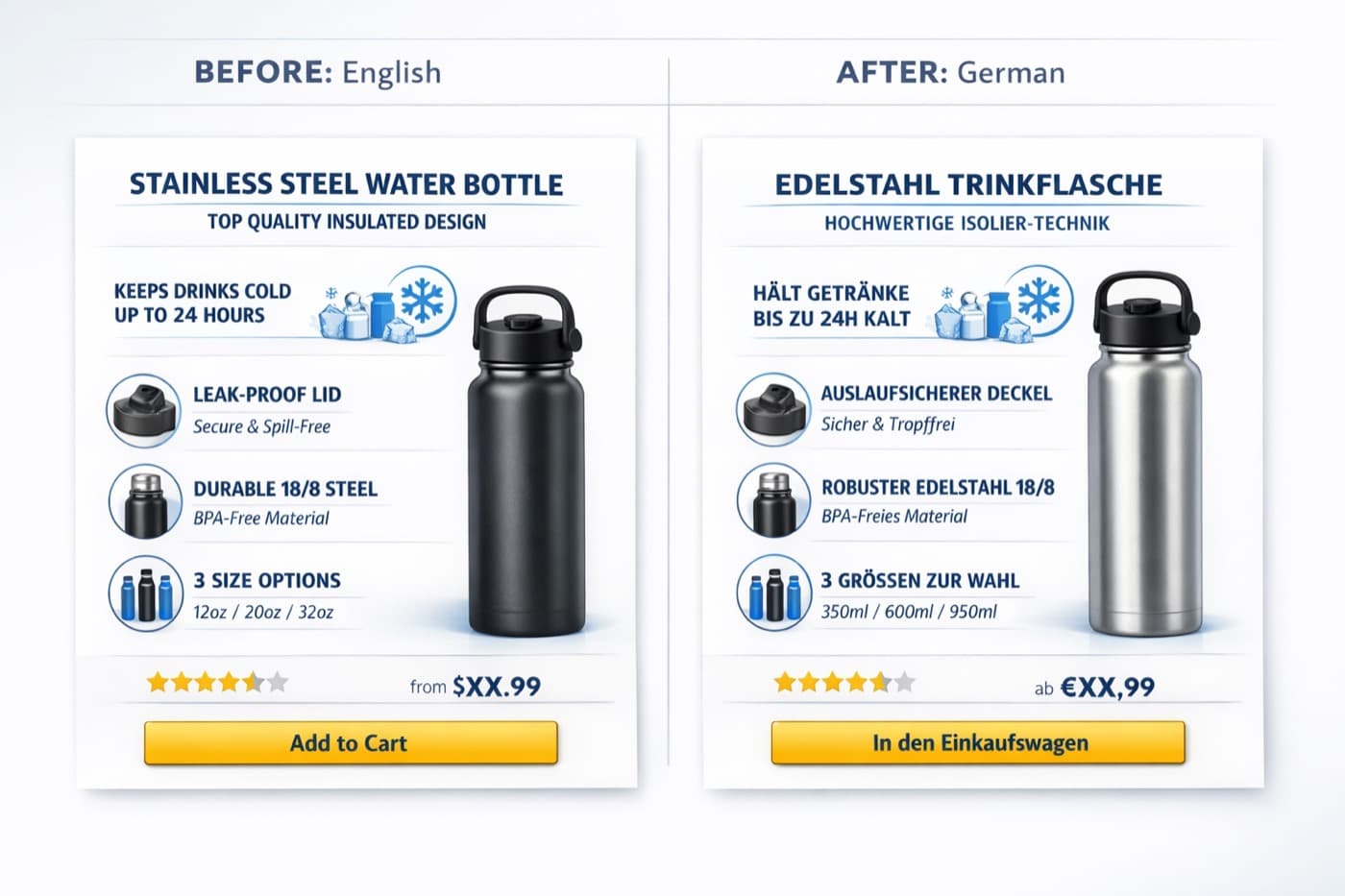
How to Translate Amazon Listing Images to German
If you already sell on Amazon in English, Germany is one of the most attractive next markets to expand into. It is large, mature, and highly valuable for cross-border sellers. But many brands underestimate one important part of localization: the images.
They translate the title, bullet points, and A+ content headlines, but leave the listing images in English.
That creates an immediate gap.
German shoppers may understand some English, but that does not mean English product graphics feel local, complete, or trustworthy. If your feature callouts, comparison charts, dimension graphics, or usage instructions stay in English, your listing can feel less polished than competitors that are fully localized.
That is why translating Amazon listing images into German matters. A strong workflow helps you keep the original design, preserve your selling structure, and adapt your visuals for German-speaking shoppers without redesigning everything from scratch.
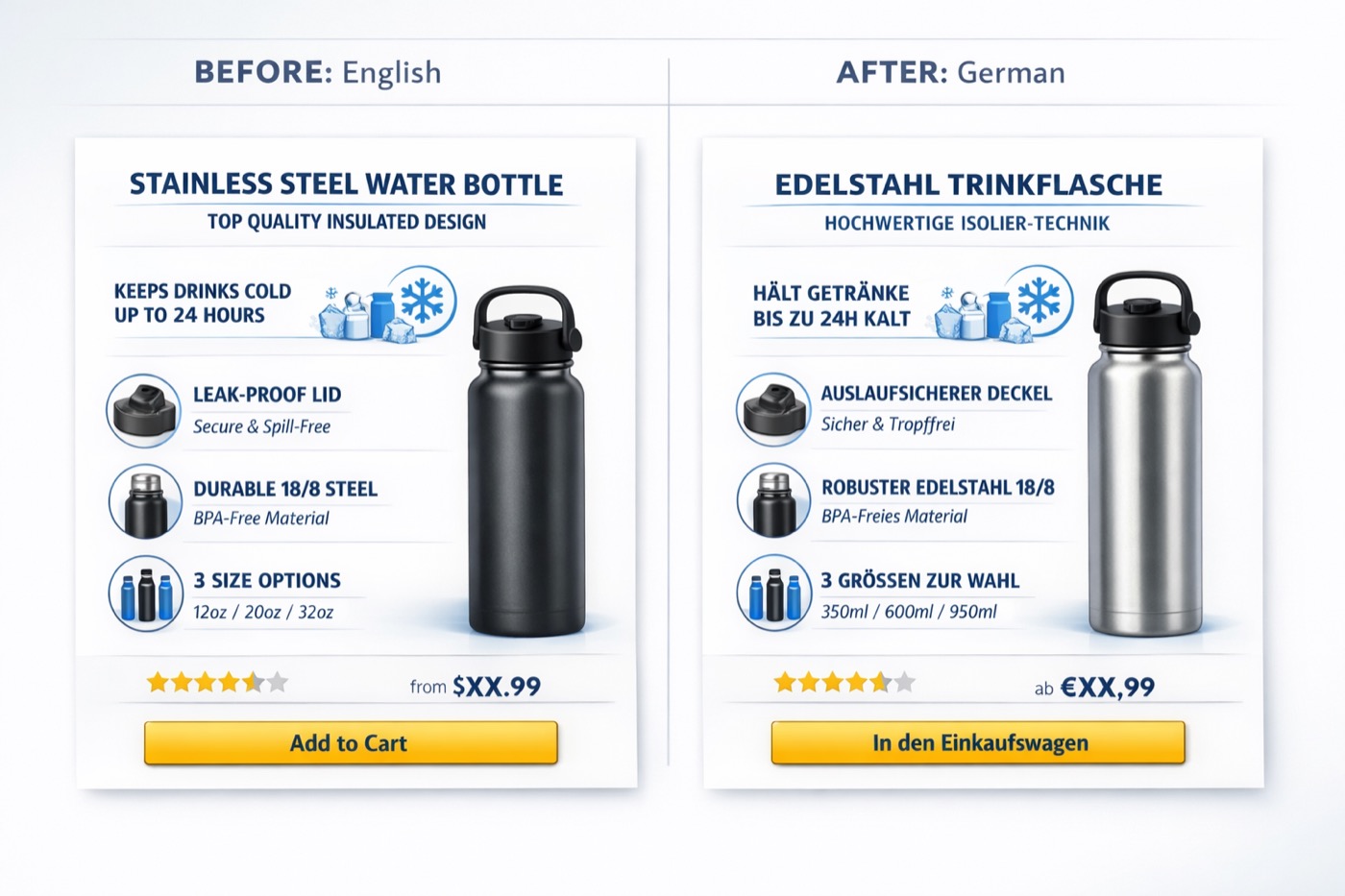 Caption: Localize existing Amazon product visuals into German while keeping the original structure and conversion logic.
Why German Amazon image localization matters
Amazon product images often do much more than show the item itself. They explain the product, reduce hesitation, and answer objections quickly.
Many Amazon listings rely on visual selling elements such as:
- feature callouts
- dimensions and measurements
- comparison tables
- material or ingredient highlights
- installation steps
- use-case graphics
- warranty or trust signals
When those elements are still in English, German shoppers may still understand part of the message, but the experience feels imported rather than localized. On Amazon, where trust and clarity matter a lot, that difference can affect conversion.
German localization is especially important because:
- shoppers expect precise product information
- technical terms need to feel accurate and natural
- longer German phrasing can break layouts if handled poorly
- polished listings signal product quality and professionalism
What should be translated in Amazon listing images first
If you have a full English listing asset pack, do not start by translating everything. Prioritize the images that influence buying confidence most directly.
1. Feature highlight images
These are often the most important supporting images in the listing. They explain what the product does and why it is better.
Examples:
- key product benefits
- problem-solution visuals
- unique material or design features
- "why choose us" graphics
2. Dimension and specification graphics
German Amazon shoppers often pay close attention to measurements, compatibility, and technical detail. If your dimensions or technical callouts stay in English, you create unnecessary friction.
3. Comparison charts
If you use tables to compare models, bundles, or feature tiers, those should be localized early. These visuals often drive decision-making late in the funnel.
4. Usage and setup instructions
If the product needs assembly, installation, or a sequence of use, those visual instructions should be translated before less critical lifestyle images.
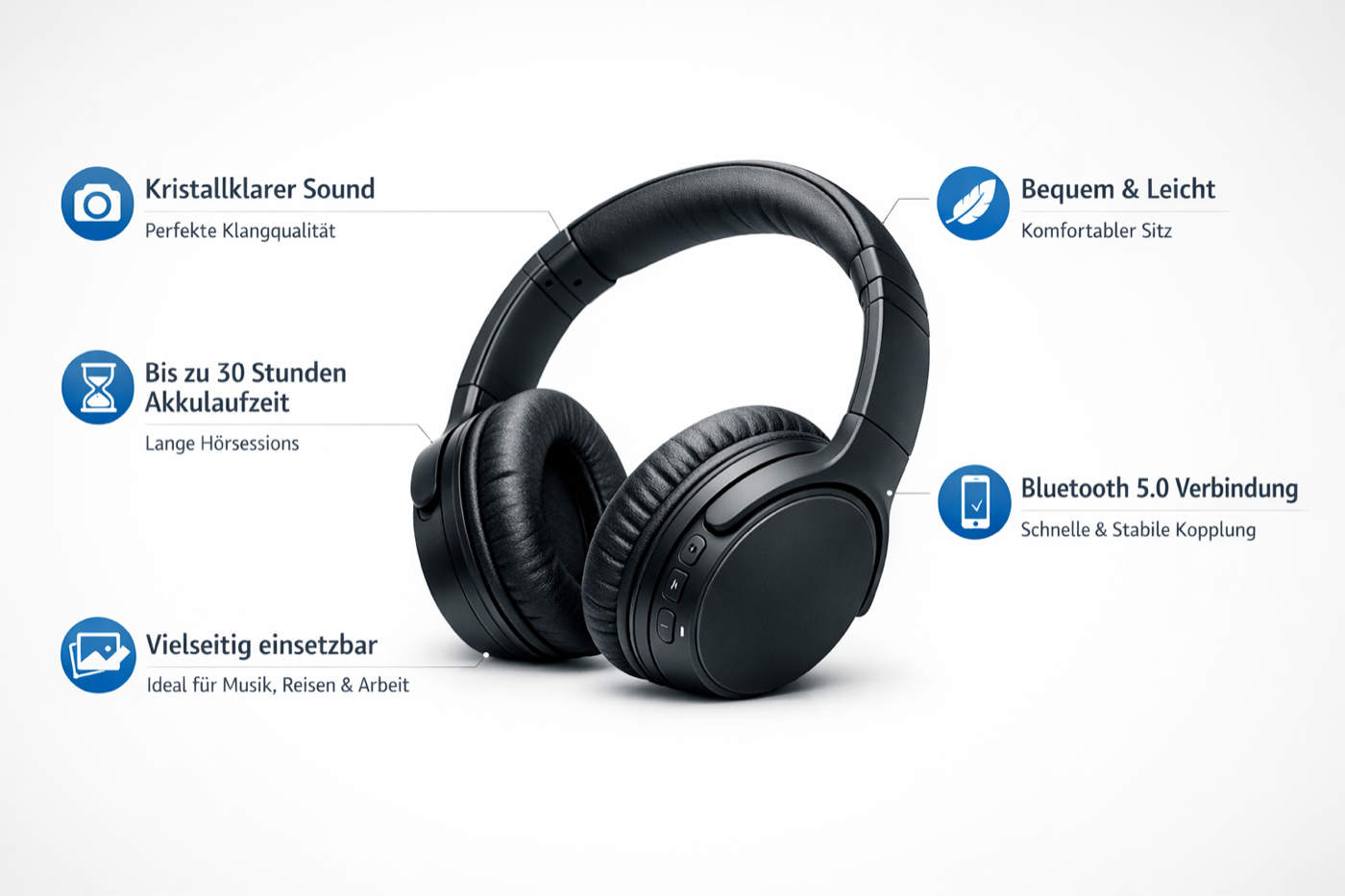 Caption: German-translated feature graphics should remain easy to scan and visually balanced on Amazon listing pages.
Why German is harder than a simple text swap
English-to-German image localization is not just about replacing one word with another.
German text often becomes longer than English. That can create layout problems very quickly:
- short English labels may turn into long German compounds
- buttons or badges can become crowded
- multi-line spacing may feel uneven
- visual emphasis can shift away from the most important benefit
In addition, Amazon images need to remain easy to scan on mobile. Even if the translation is accurate, an overloaded layout can hurt readability and reduce the effectiveness of the image.
That is why strong German localization depends on both language quality and layout preservation.
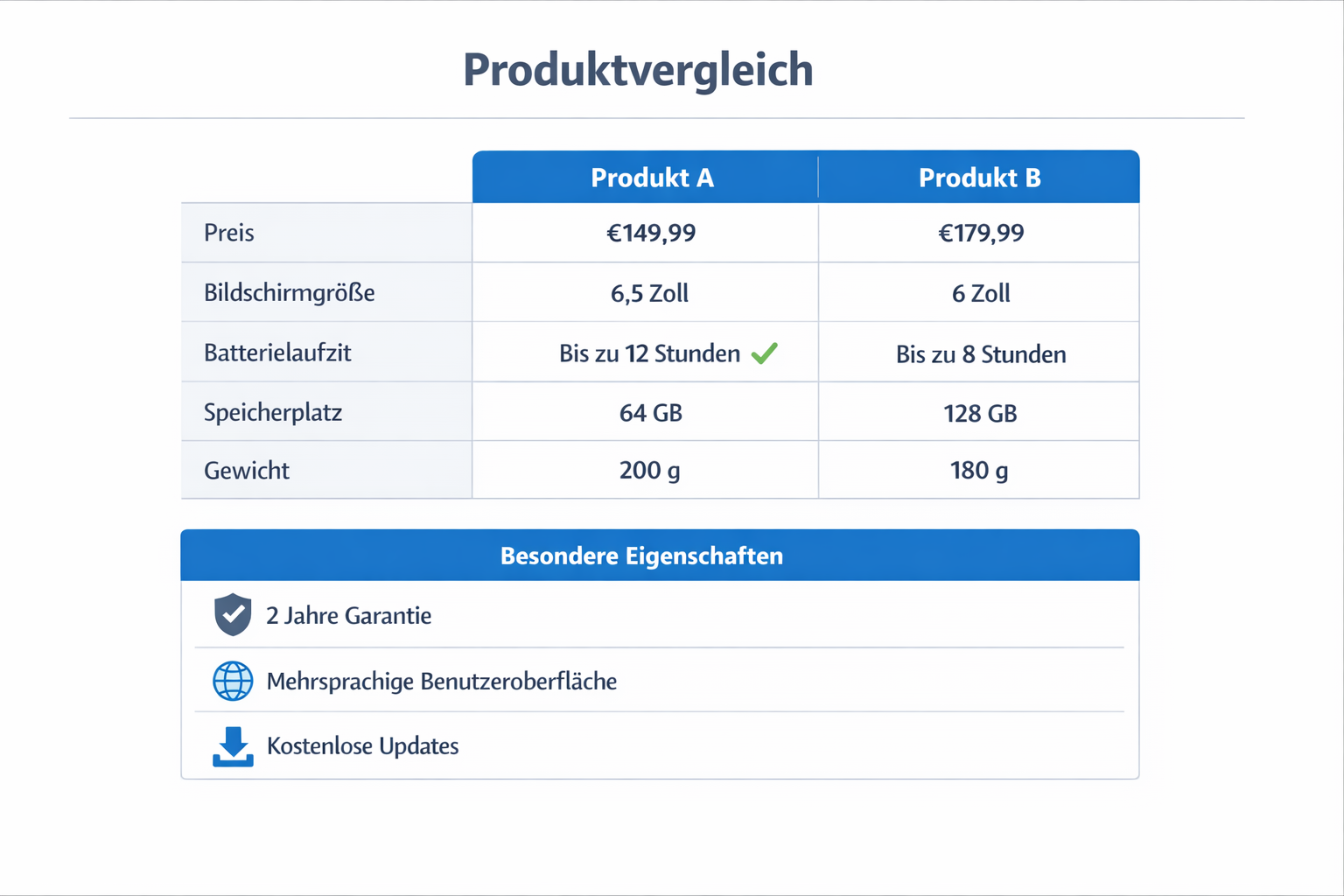 Caption: Specification and comparison graphics need precise language and strong layout control to remain clear in German.
Common mistakes when translating Amazon listing images into German
Many sellers try to localize listing images too quickly and end up creating visuals that feel awkward or obviously edited.
Mistake 1: Using direct literal translation
German shoppers respond better to clear, natural product phrasing than to overly literal translation. Technical accuracy matters, but the copy also needs to read like customer-facing German, not raw machine output.
Mistake 2: Letting German text overflow
German often takes more space than English. If the translation is inserted without spacing adjustments, the result can feel cramped and less premium.
Mistake 3: Ignoring background reconstruction
If the original English text is removed with rough patches or visible artifacts, the image loses credibility. Amazon images should look polished, not edited.
Mistake 4: Translating terminology inconsistently
If one image uses one term for a product feature and another image uses a different phrase, the listing starts to feel fragmented.
Mistake 5: Translating low-priority text before high-priority buying signals
The first goal is clarity. Translate the visuals that answer the shopper's main questions before you spend time on decorative or secondary wording.
Start Translating Amazon Images for German Shoppers
Use VOKWA AI to turn existing Amazon listing visuals into German-ready assets without manually rebuilding each image.
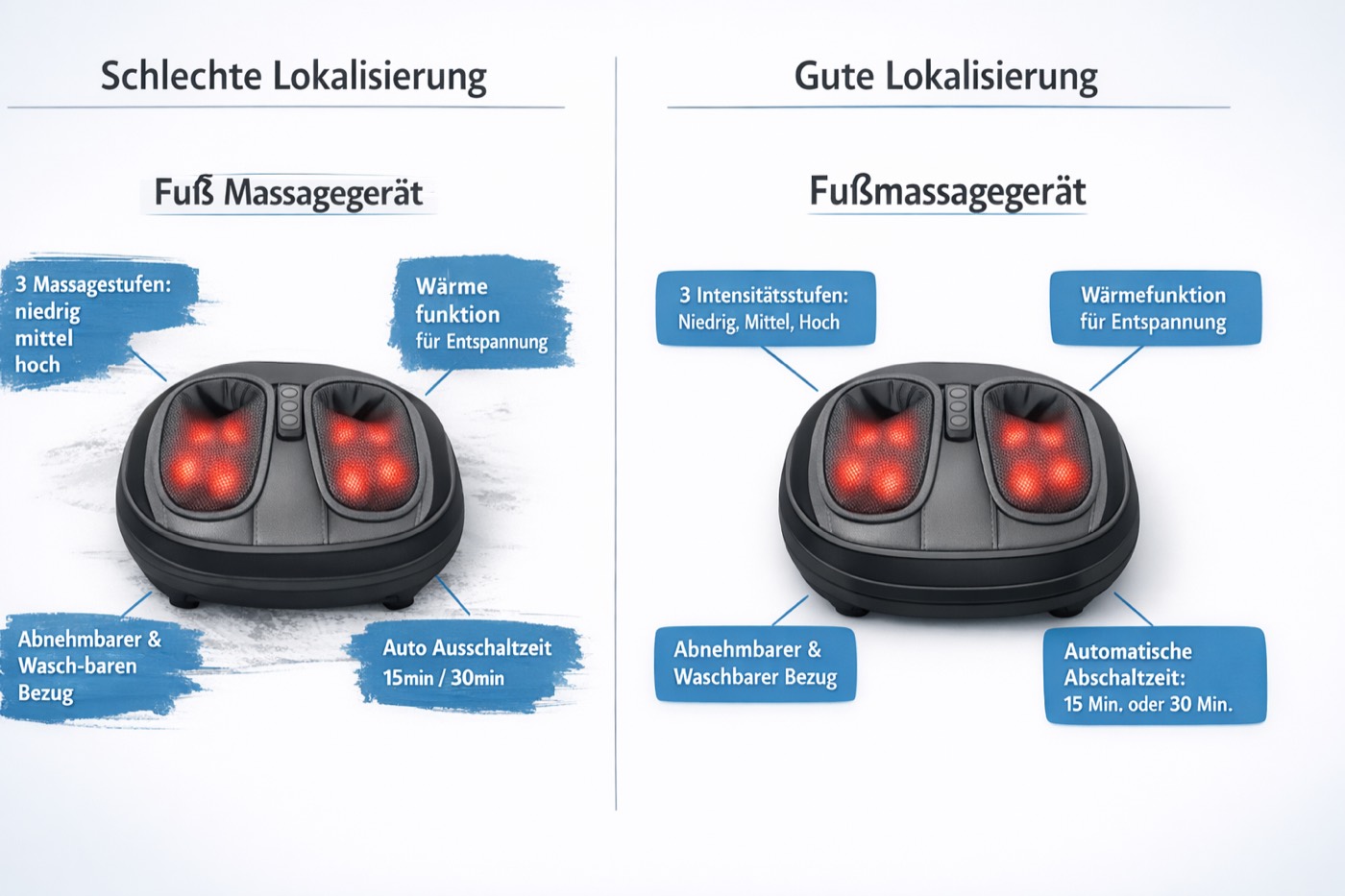 Caption: Better spacing, cleaner background reconstruction, and more natural phrasing make German-localized Amazon visuals look more trustworthy.
How to translate Amazon listing images into German efficiently
The fastest workflow is usually to localize your existing English visuals instead of redesigning them manually in Photoshop or from original source files.
Step 1: Gather the listing images that affect conversion
Start with images that answer buyer questions and reduce hesitation:
- what makes the product different
- how large it is
- how it works
- how it compares to alternatives
Step 2: Prioritize the top 3 to 5 visuals
You do not need to localize every image immediately. Start with the images carrying the most useful product information.
Step 3: Translate the in-image text into German
With VOKWA AI, the workflow can be much simpler:
- upload the original English listing image
- choose German as the target language
- let the system detect the text inside the visual
- translate the text and replace it in the existing design
- review the output
- export the final image for Amazon
Step 4: Review like a German Amazon shopper
Before publishing, check for:
- natural German wording
- mobile readability
- clean line breaks
- consistent terminology
- background cleanup quality
A strong result should look like it was designed for German-speaking customers from the beginning.
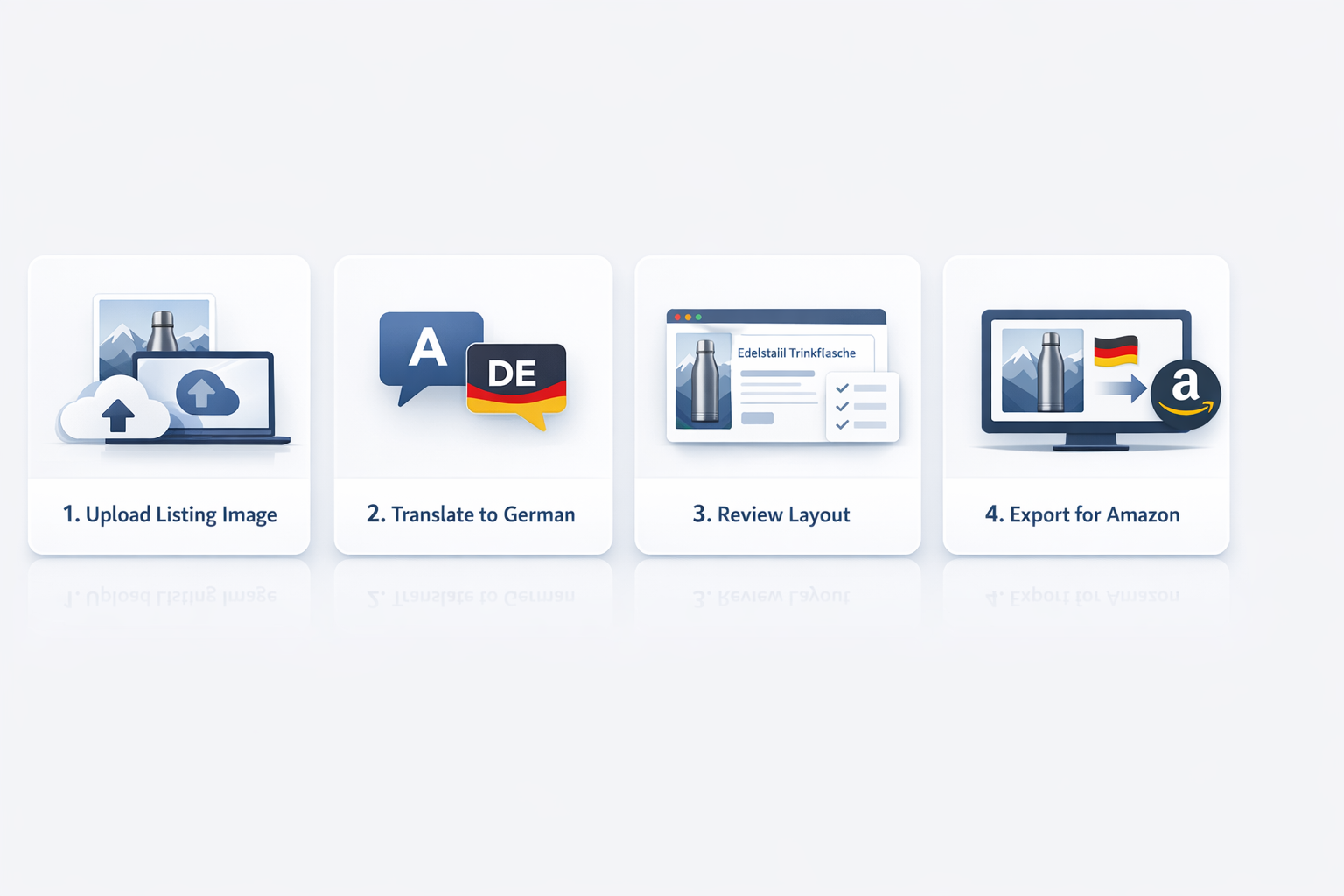 Caption: A practical workflow for converting English Amazon visuals into German-ready listing assets.
Best use cases for German Amazon image translation
This workflow is especially useful for:
US Amazon sellers entering Germany
If you already have a strong US listing, localizing your existing image set is faster than rebuilding everything from zero for Amazon.de.
Brands selling technical or specification-heavy products
Home goods, tools, electronics accessories, supplements, and kitchen products often depend heavily on in-image text and structured explanations.
Listings with comparison tables
If your conversion depends on helping shoppers compare features, localization of those charts can have a direct impact.
Sellers running multi-market Amazon operations
If you plan to expand across Europe, a repeatable image localization process helps you adapt faster across languages and marketplaces.
Why VOKWA AI fits this workflow
VOKWA AI is built for product-image localization, not just raw text extraction.
For German Amazon listing images, sellers usually care about four things:
- keeping the layout intact
- replacing English text cleanly
- maintaining readability in a longer language
- reducing manual design work
That is the real value of image localization: turning existing creative assets into localized marketplace visuals faster.
Final thoughts
If you want to grow on Amazon Germany, translating your listing copy alone is not enough. The text inside your product images also shapes how clearly shoppers understand the product and how much they trust the brand.
A good German image localization workflow helps you:
- keep your existing listing design
- translate high-value visuals first
- preserve readability on mobile
- move into Amazon.de faster with less manual rework
For most sellers, the best starting point is simple:
- localize feature graphics
- translate dimension and specification images
- update comparison charts
- review the final output for natural German phrasing
That gives you a more complete localized listing experience without rebuilding every visual asset by hand.
Translate Amazon Listing Images to German Faster
Turn your existing Amazon product visuals into German-ready listing assets with cleaner text replacement and less design rework.
FAQ
Can I translate Amazon listing images into German without redesigning them?
Yes. If you already have optimized English listing visuals, you can localize the in-image text into German while preserving the core layout and structure.
Which Amazon images should I translate first?
Start with feature graphics, specification images, comparison tables, and setup or instruction visuals.
Why is German harder to fit into existing image layouts?
German wording is often longer than English, so line breaks, spacing, and hierarchy need more careful adjustment.
Is this useful only for Amazon Germany?
No. The same workflow can help sellers preparing visuals for German-speaking audiences across marketplaces, DTC pages, and cross-border campaigns.
What makes a German-localized Amazon image feel professional?
Natural phrasing, clean background reconstruction, balanced spacing, and consistent terminology all help the final image feel native and trustworthy.