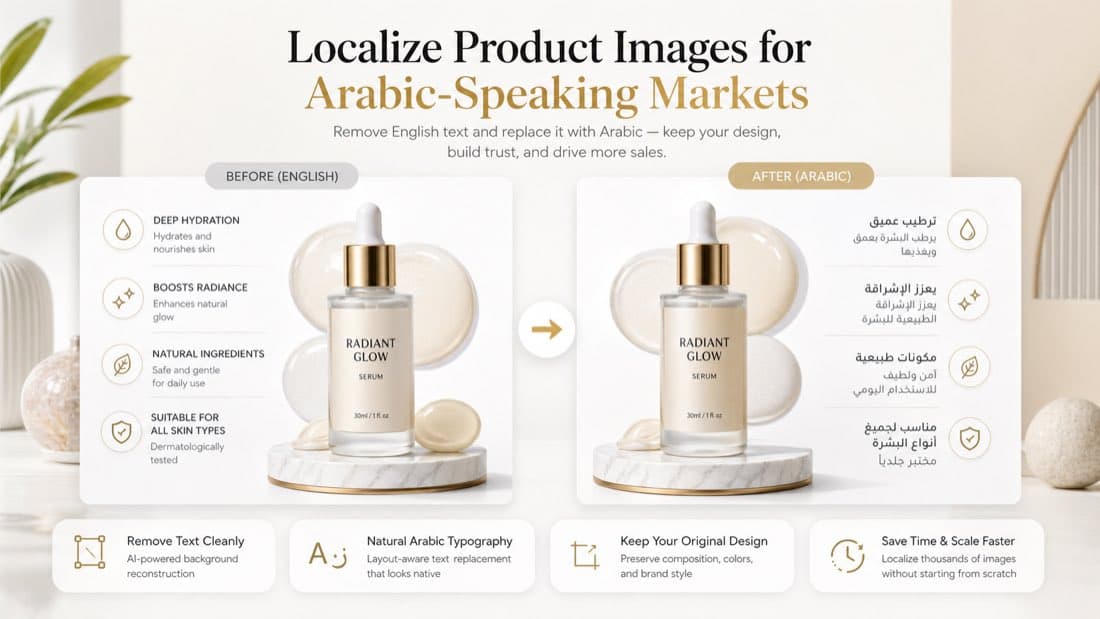
How to Remove Text from Product Photos and Replace It with Arabic
The usual localization workflow breaks down the moment product photos enter the picture.
Titles can be translated. Bullet points can be rewritten. Landing pages can be duplicated. But once a seller needs to adapt the actual image assets for Arabic-speaking markets, things get messy fast.
Someone opens an old design file. Someone else realizes the source file is missing. Then the team starts patching over English text manually, moving boxes around, and trying to make Arabic fit into a layout that was never built for it.
That is usually when quality drops.
For brands selling into the Gulf region, Arabic product visuals matter more than many teams expect. Product photos are not just decorative. They explain benefits, highlight materials, show usage steps, clarify sizes, and carry the sales pitch that helps a customer decide.
If the product page is localized but the images still contain English callouts, the experience feels unfinished. If the text is badly removed or the Arabic replacement looks awkward, the listing can feel edited instead of trustworthy.
This guide is for teams that need a cleaner way to remove text from product photos and replace it with Arabic, without rebuilding every asset by hand.
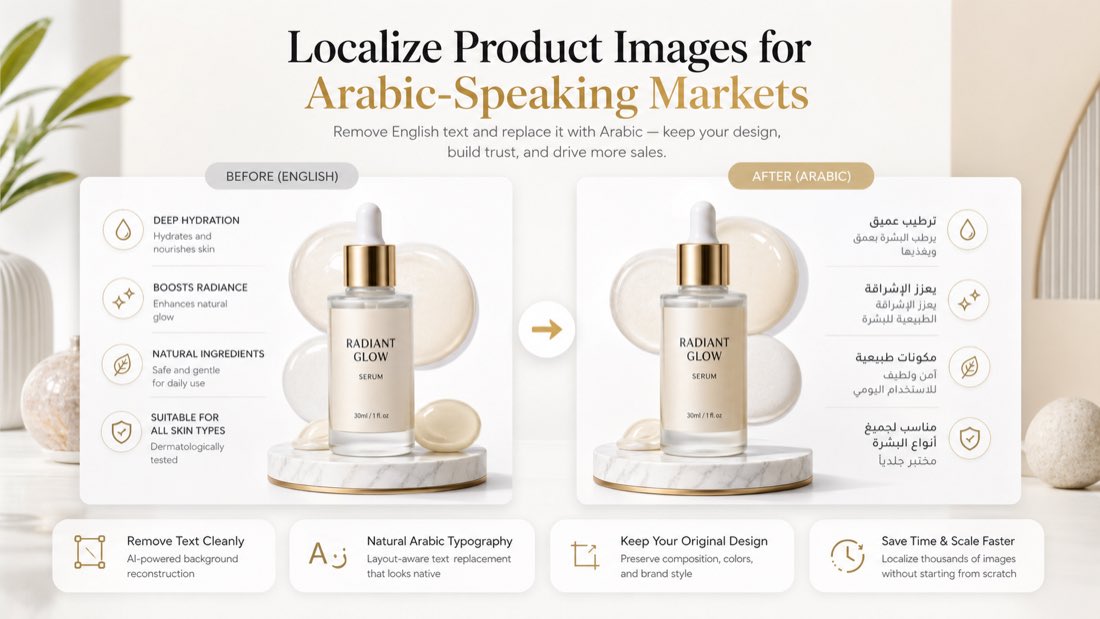 Caption: A good Arabic-ready product visual should look like it was designed for the market, not patched at the last minute.
Why this matters for Arabic-speaking markets
Arabic localization is not only about translation. It is about making the visual experience feel native.
That matters because buyers often make decisions from the images first. On many product pages, the visuals answer the questions that actually move conversion:
- what the product does
- why it is better
- how to use it
- what size or specification it has
- whether it feels premium and trustworthy
If those answers are still trapped inside English graphics, the listing asks the shopper to do extra work. On mobile, that extra work is usually where hesitation starts.
The challenge is even bigger with Arabic because the writing system changes more than the words. Direction, spacing, line length, and visual balance all shift. A direct text swap rarely looks right.
The real problem is not translation. It is replacement quality.
Most teams can get Arabic copy written.
What they struggle with is replacing the old text cleanly inside an existing image while keeping the design intact. That is a different problem.
In practice, a usable workflow needs to do four things well:
- remove the original English text without damaging the background
- place Arabic text naturally into the same visual hierarchy
- preserve readability across desktop and mobile
- keep the image looking polished enough to use on product pages, ads, and marketplaces
This is where many “quick fixes” fall apart. You can translate the words perfectly and still end up with an image that feels cheap.
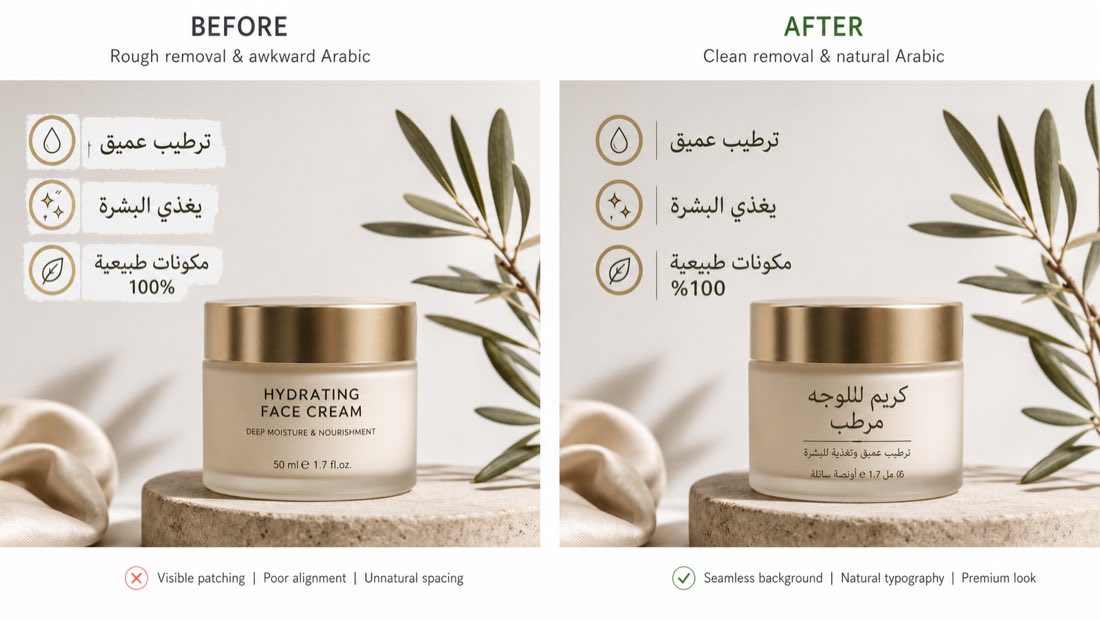 Caption: The difference is not just language. It is whether the product image still looks premium after the change.
Which product photos should you localize first
If you have dozens or hundreds of images, do not start everywhere at once. Start where the visual text does the most selling.
1. Feature callout images
These are often the most valuable images after the main product shot.
They usually contain:
- benefit headlines
- short proof points
- materials or ingredients
- durability claims
- use-case messaging
If these remain in English, the customer misses the core sales story.
2. Instruction and usage images
For beauty, electronics accessories, home products, supplements, tools, and baby products, usage clarity has a direct effect on purchase confidence.
Translate and replace text in:
- how-to-use panels
- step-by-step installation graphics
- routine guidance
- safety or care visuals
3. Size charts and dimension graphics
If a shopper has to pause and decode measurements, fit labels, or dimension notes in a different language, you are adding friction at exactly the wrong time.
4. Ad creatives and campaign images
This is often overlooked. A localized product page does not help much if the ad that brings traffic is still speaking a different visual language.
What usually goes wrong
There are a few common failure patterns, and most of them have nothing to do with the translation itself.
The background gets damaged
Teams erase English text with a rough blur, solid patch, or uneven clone. That makes the image look edited before the Arabic even goes in.
The Arabic is technically correct but visually off
Arabic needs proper spacing, proportions, and breathing room. When it is squeezed into an English-first layout, the result often feels cramped or unbalanced.
The image loses its hierarchy
What used to be a clean sequence of headline, supporting line, and icon row becomes a block of text with no visual priority.
Every asset is handled differently
One image uses one Arabic term, the next uses another, and the overall brand voice becomes inconsistent.
Localization starts to look like patchwork instead of a system.
A better workflow for Arabic-ready product images
The fastest teams are usually not the ones doing the most manual editing. They are the ones reusing strong English assets and adapting them with a repeatable workflow.
Step 1: Start from the finished product image, not from a redesign brief
If the current image already sells well in English, keep the structure that works.
That means:
- same composition
- same product photography
- same icon logic
- same visual flow
The job is to adapt the language layer, not reinvent the creative.
Step 2: Remove the old text cleanly
This matters more than teams think.
If the old text is removed poorly, nothing after that really recovers the image. Good background reconstruction should preserve gradients, shadows, texture, and spacing so the edited area disappears back into the design.
Step 3: Add Arabic with layout awareness
Arabic replacement should feel intentional, not forced.
That means checking:
- line breaks
- visual weight
- alignment
- spacing around icons and product elements
- mobile readability
Arabic text should not look like it was squeezed into an English box.
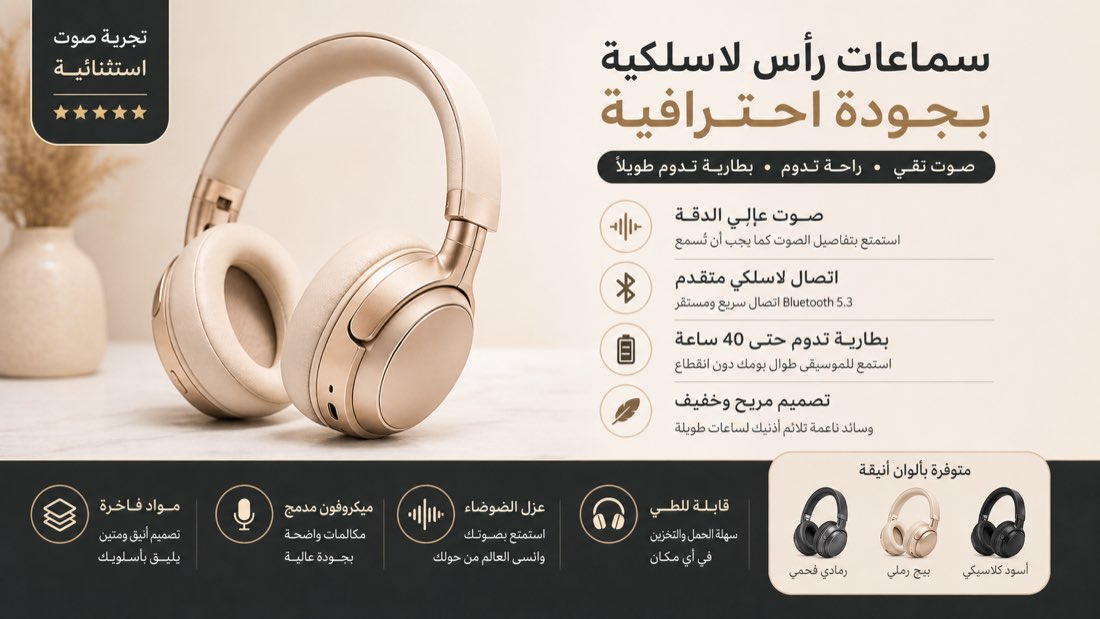 Caption: When layout and language work together, the localized image keeps its original selling power.
Step 4: Review the final output as a buyer, not as a production file
Before publishing, ask:
- Does this still look premium?
- Is the Arabic easy to scan quickly?
- Does the image still guide the eye in the right order?
- Would this pass as native creative in a Gulf-market storefront or campaign?
That final check catches more issues than another round of literal translation edits ever will.
Where this workflow is most useful
This kind of image editing is especially valuable for:
Sellers expanding into the UAE or Saudi Arabia
If your catalog already exists in English, Arabic-ready visuals help the listing feel more complete without starting the entire creative process again.
Agencies localizing campaigns for multiple brands
When the job is not one SKU but hundreds, manual editing stops scaling very quickly.
Brands running multilingual storefronts
If the same product needs English and Arabic visual sets across PDPs, marketplaces, and ads, text replacement becomes a content operations problem, not just a design task.
Teams working with incomplete design files
Sometimes the original layered file is missing, outdated, or not worth reopening. Replacing in-image text directly becomes the practical path.
Why VOKWA AI fits this job
VOKWA AI is useful here because the task is not “translate some text.” The task is “turn an existing image into a usable localized asset.”
For Arabic product-photo localization, teams usually care about:
- clean removal of the original text
- believable background reconstruction
- readable Arabic replacement
- less manual design labor across many assets
That is where the workflow becomes valuable. You keep the assets that already work and adapt them for a new market faster.
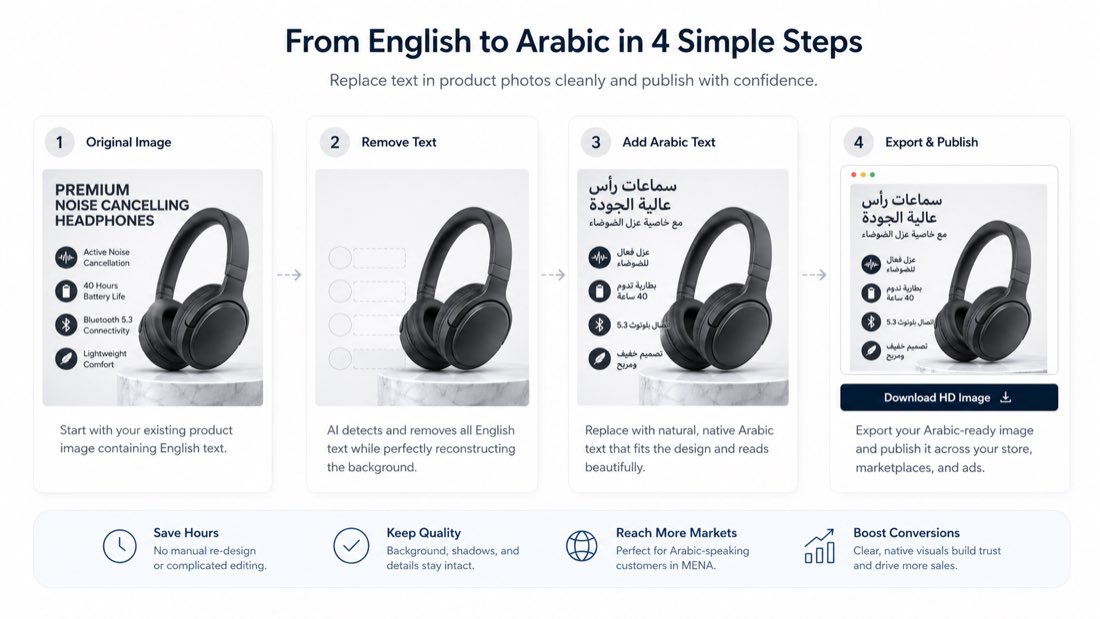 Caption: The goal is not just translation accuracy. It is getting to a publish-ready localized image without rebuilding the design from scratch.
Final thought
If your product page is in Arabic but the images still look like English assets with quick edits on top, buyers notice.
They may not articulate it that way, but they feel it as lower trust, weaker polish, and more hesitation.
That is why replacing text in product photos is not a small cleanup task. Done well, it is part of making a product feel ready for the market.
Start with the images that carry the sales argument. Keep the layouts that already work. Replace the text cleanly. And make sure the final result looks like a real market version, not a workaround.
If you need to remove text from product photos and replace it with Arabic faster, VOKWA AI can help you turn existing assets into publish-ready visuals for Arabic-speaking markets.
FAQ
Is replacing text in product photos different from translating product descriptions?
Yes. Product descriptions are page text. Product photos require both translation and visual editing, including clean text removal, background reconstruction, and layout-aware replacement.
Which images should I localize first for Arabic-speaking markets?
Start with feature callouts, instruction graphics, size charts, dimension panels, and campaign creatives that carry important product information.
Can I do this without the original design file?
Often, yes. If the workflow can detect the in-image text, remove it cleanly, and preserve the background, you can localize many assets without reopening the original layered file.
Why does Arabic replacement often look harder than English replacement?
Because the script, spacing, and visual balance change more significantly. A direct text swap usually is not enough to make the image feel natural.